Magic Jili — App Guide for the Philippines
Everything you need before you install the Magic Jili app: Android requirements, the install steps, GCash and Maya payments, account limits and the 21+ checks that matter before you register.
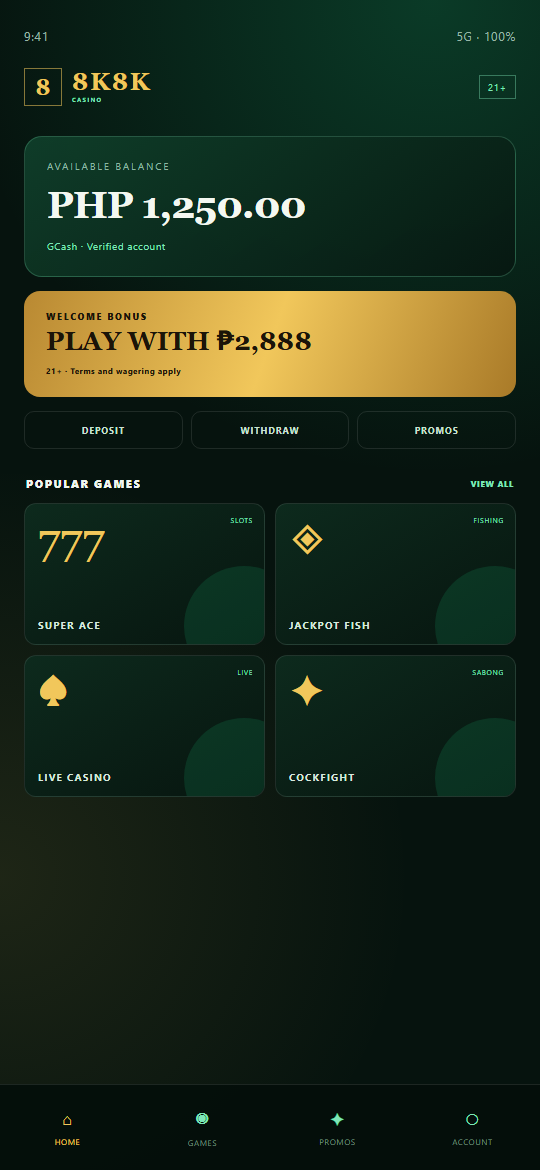
This independent guide covers the Magic Jili app, GCash and Maya payments and casino content for Philippine players.
Magic Jili is a trademark of its respective owner. This guide is not the operator and does not accept deposits.Everything you need before you install the Magic Jili app: Android requirements, the install steps, GCash and Maya payments, account limits and the 21+ checks that matter before you register.
Current release
~27 MB
7.0 or newer
GCash / Maya
21+
Philippines
Magic Jili is built for mobile. The app gives you a lobby, a cashier and account controls; the operator behind it sets the licence, payment limits and bonus conditions.
This independent guide separates the app from the operator. It explains what to check before you install, how GCash and Maya normally work, and which terms to read before you claim an offer.
Only download using the button on this page. Files shared through messaging groups or third-party storage are often corrupted copies and can put your data at risk.
Magic Jili is a game brand used by online casino operators. The logo on the lobby is not the same thing as the company that holds your account, sets your limits or processes a GCash withdrawal.
That distinction is the reason this guide exists. It explains the app experience, the cashier flow and the questions to ask before you register — without pretending to be the operator.
The app is the front end: lobby, game tiles and account menu. The operator is the licensed business behind it: registration, KYC, payments, support and bonus rules.
GCash and Maya sit at the payment layer. A deposit request moves from the cashier to the wallet; a withdrawal moves back after checks. None of that is controlled by the game provider.
Install only from the operator domain. Avoid APK mirrors, shortened links and files sent by unknown accounts.
Confirm the minimum deposit, fees and withdrawal window in the cashier. The game provider does not process your payment.
Use deposit, loss and session limits. Keep identity documents and one-time codes private.
Philippine gambling content is for adults aged 21 and over. Check the operator licence before registering.
The lobby, game tiles and cashier are designed for a phone screen. Test the layout on your own device before depositing.
GCash and Maya steps should be visible before you confirm. Keep the reference number for every deposit.
Read wagering, expiry and maximum cashout before you opt in. A headline amount is not a promise.
A withdrawal usually requires a verified profile. Complete KYC before you need the money.
Use the operator official support. A guide cannot reset your password or release a withdrawal.
This page is independent. It explains the structure and the checks, not a guaranteed outcome.
The app-first layout is easy to understand on a phone. The cashier wording is familiar to Philippine players, and GCash/Maya support lowers the payment learning curve.
The parts that need checking are the operator licence, the current bonus terms and the withdrawal window. A polished lobby is not proof of any of those. Read the cashier and legal pages before depositing.
Only install from the official operator domain or an official app store listing. Never use APK mirrors.
On your Android phone, open the official Magic Jili page and choose the app option. Confirm the domain before downloading.
If prompted, allow installs from this source for the download, then turn the permission off after installation.
Open the app, log in or create an account, and complete the identity and age checks the operator requires.
Payment limits and processing windows are set by the operator and can change by account level.
Open the cashier, choose GCash or Maya, confirm the amount and keep the reference number.
Complete identity verification first. Use a wallet in your own name; processing depends on checks and volume.
This guide does not promise a specific bonus amount. Offer terms are set by the operator and must be checked in your account.
Use the official operator domain. Lookalike sites copy logos and ask for a password or one-time code; a legitimate support agent does not need either.
Keep the phone updated, use a unique password and turn on two-factor authentication if the operator offers it. If a login page appears after a link in a random message, close it and type the domain yourself.
Magic Jili is best treated as a brand to research, not a promise. Check the operator, the 21+ rule, the GCash/Maya terms and the bonus conditions.
If those four checks pass, the app is a familiar mobile experience. If any of them is vague, do not deposit. A guide should make the decision clearer, not push you through it.
This is an independent guide. For account, payment or withdrawal issues, contact the operator official support. For corrections to this page, email the address below.
The app is normally free. Deposits, bets and account features are separate; only use money you can afford to lose.
Many operators support the mobile web version on iPhone. If a native iOS app exists, use the official App Store listing linked from the operator.
GCash and Maya are the usual options in the Philippines. Availability, minimums and processing times vary by operator and account.
It depends on identity checks, volume and the payment rail. If a withdrawal is delayed, contact official support with your reference number.
You must be 21 or older, and the operator must hold the required licence. Confirm both before registering or depositing.
Use deposit and session limits, take a break, and contact a local responsible-gambling support service. Do not chase losses.
Licence, cashier limits and bonus terms are set by the operator, not by this guide.
Gambling should be entertainment, not a source of income. Set limits before you play, never chase losses, and take breaks. If it stops being fun, stop.
Independent editorial guide. Magic Jili is a trademark of its respective owner. This site is not the operator and does not accept deposits. 21+ only.